Keep
On every order, the click identifier and the advertising consent state are frozen onto the order. Classic checkout and block checkout alike. Nothing to configure.
WooCommerce plugin
Pixel fired, request accepted, HTTP 200 — and zero conversions recorded on the
account. The failure raises no alert: it gets discovered weeks later, on a collapsing curve.
The problem
When a tag stops reporting conversions, Google Ads keeps spending while steering on false figures. Campaigns on maximise-conversions learn from nothing, and every decision is taken blind.
Once the failure is fixed, the attribution window has passed. Offline conversion
import is the only way back — but it needs the click identifier of every order,
that gclid nobody thinks to keep until they need it.
On the shop where this tool was born, the probe installed after the fact recovered 63 conversions worth €17,949 in a single month. They would have vanished without it.
The tool
On every order, the click identifier and the advertising consent state are frozen onto the order. Classic checkout and block checkout alike. Nothing to configure.
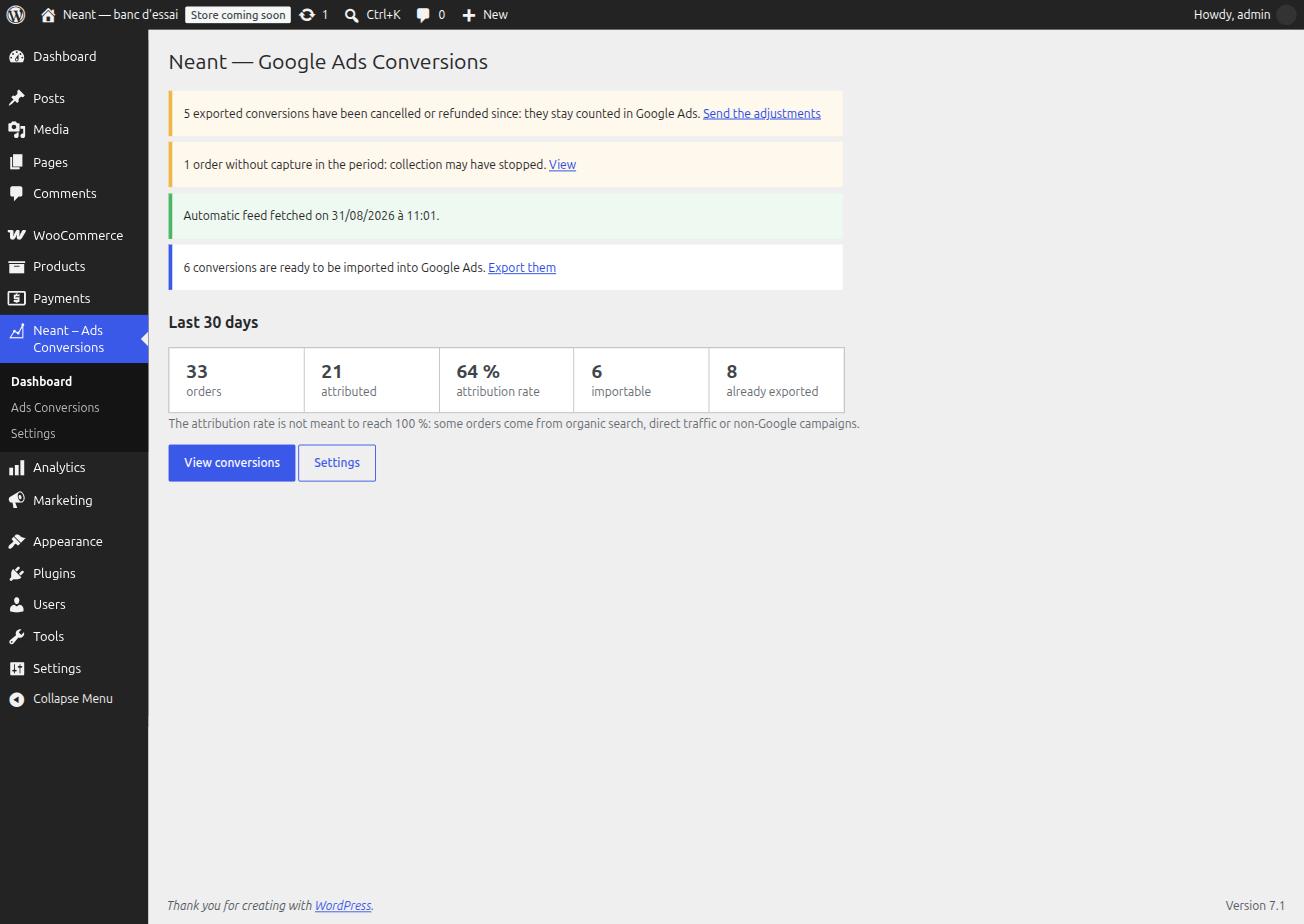
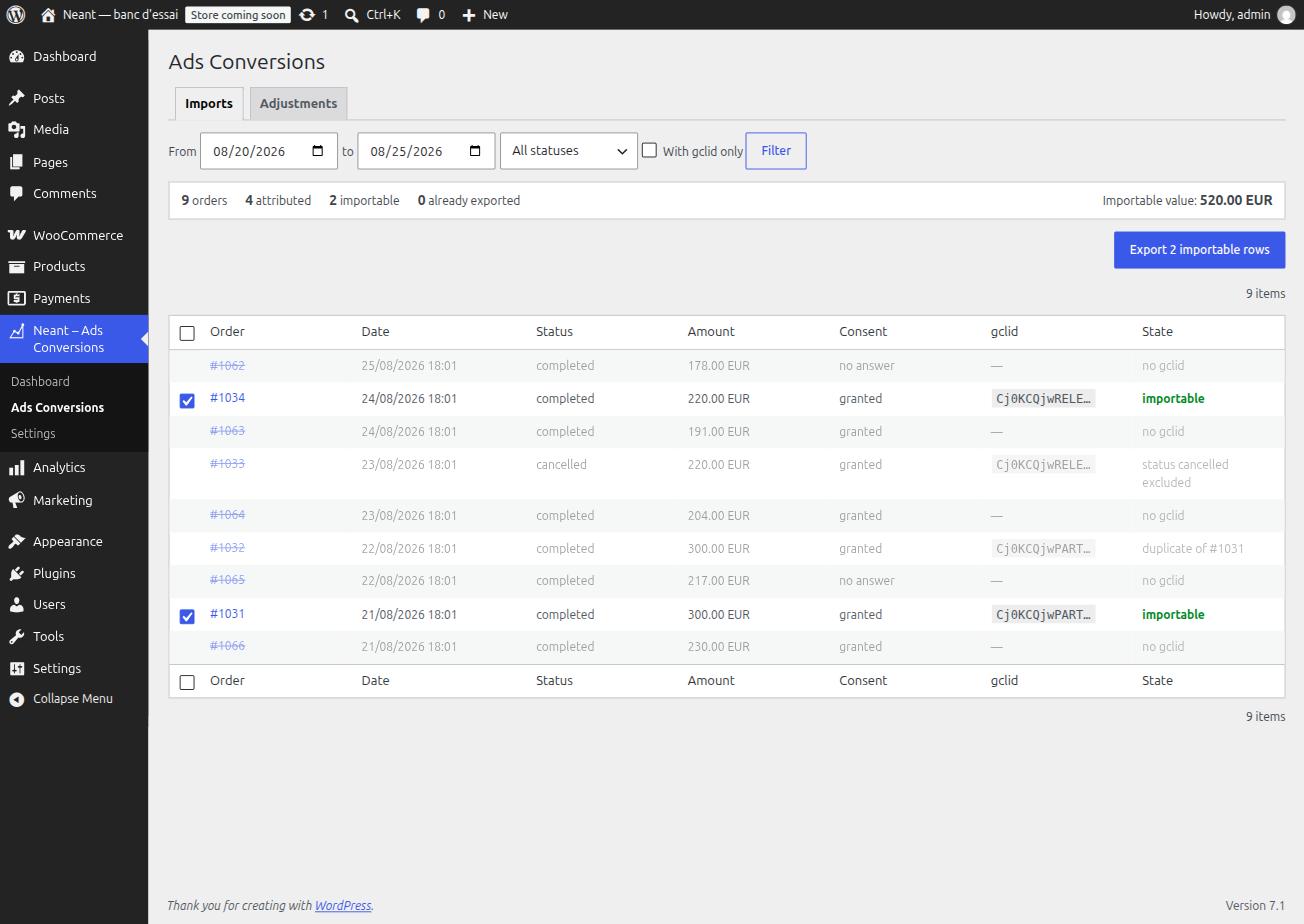
A screen lists orders with their attribution state. Non-importable rows stay visible, struck through, with their reason spelled out — never hidden.
A file in the Google Ads import format, with the currency read from each order. Rows that went out are marked: a second pass does not offer them again.
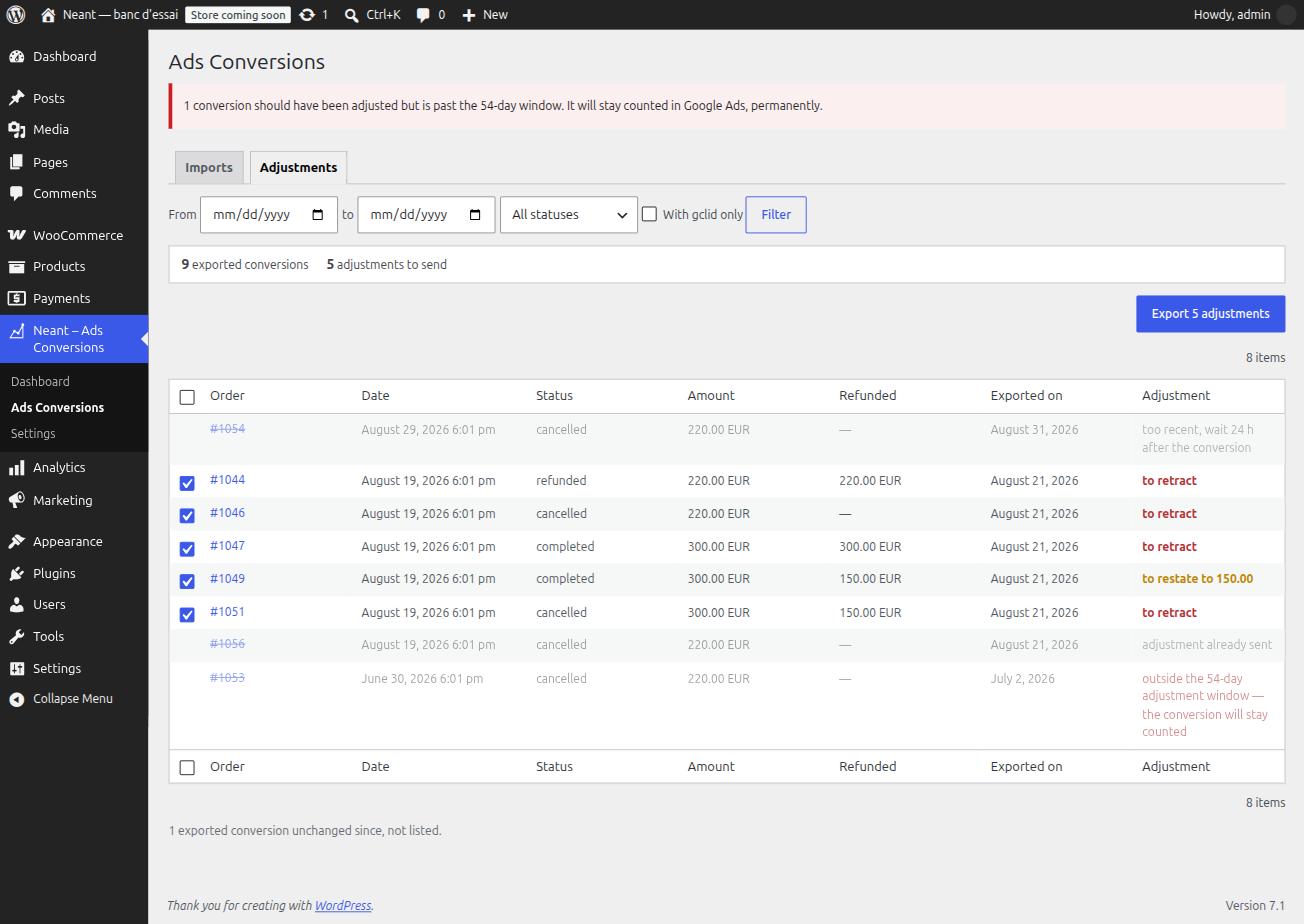
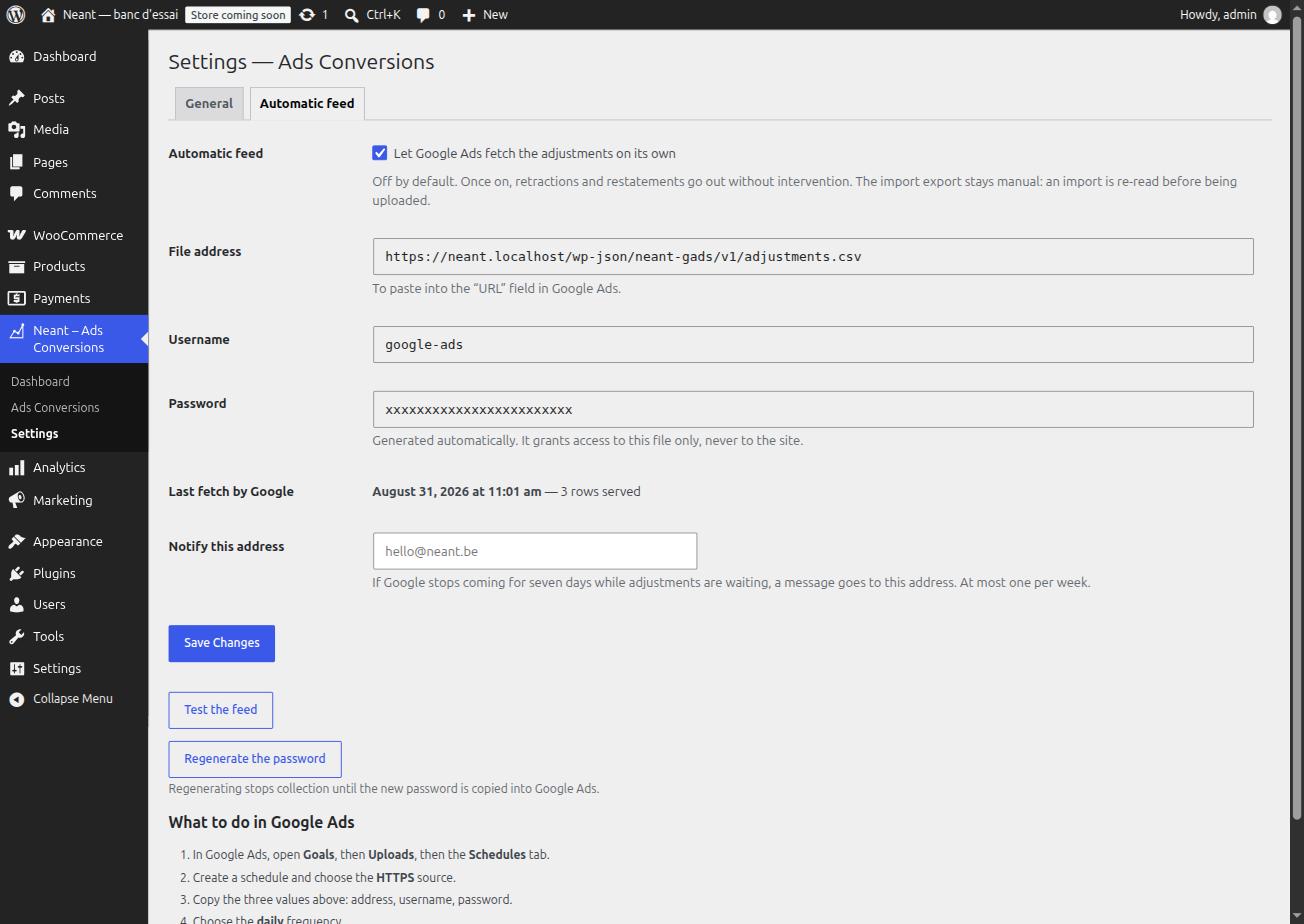
An imported conversion later cancelled or refunded stays counted. The tool produces the retraction, or the restatement of a partial refund.
Screens
Setting up
The plugin keeps from the moment it is installed, but it cannot reconstruct anything from before. Installing it early costs little; installing it late costs everything that happened in between.
Contact
The plugin installs on any WooCommerce, without a line of code to adapt. Write to us for the setup, or for a diagnosis if you already suspect a loss.